
Serve
Employee self-service
The questions HR answers every month, answered without HR.
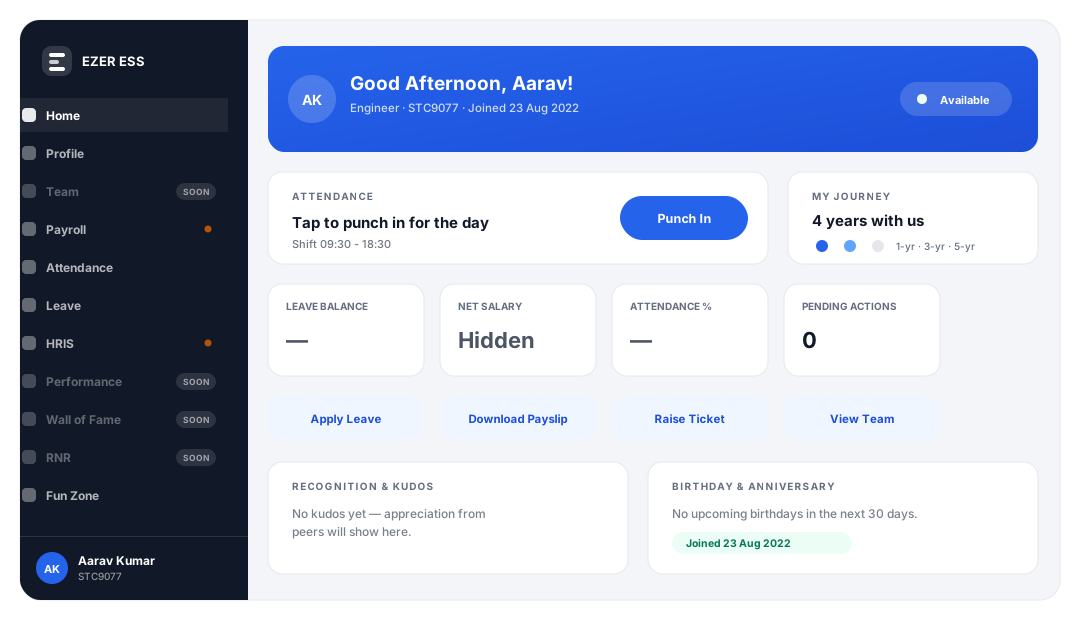
Most of what lands in an HR inbox is a lookup, not a decision. The ESS portal hands those lookups to the person asking, which is both faster for them and the single biggest reduction in HR workload the system delivers.
Without a system
How this gets done today
A payslip request, a leave balance query, a salary certificate for a home loan, a request to re-send last year’s Form 16. Individually trivial; collectively, a part-time job.
And because each one interrupts something else, the work that actually needed HR judgement is the work that gets delayed.
What it does
Inside employee self-service
Payslips, published not emailed
Every month’s payslip is in the portal, including the ones from before the employee lost the email.
Tax declarations and proofs
Employees declare their investments and upload proofs themselves, against a deadline you set, and see the effect on their projected tax.
Leave balance and applications
The same balance HR and payroll see. Apply, track and check without sending anyone a message.
Attendance and regularisation
See your own attendance, raise a regularisation for a missed punch, and watch it move through approval.
Documents in one place
Personal documents, policies and issued letters, available without a request.
Loans and advances
Request, track approval, and see the recovery schedule running through payroll.
Letters on request
Offer, confirmation, experience and relieving letters generated from your templates rather than drafted individually.
Support desk
When the answer genuinely needs a person, the question arrives as a ticket rather than as the fourth message in a thread.
See it working
On screen
Declarations, with the consequence shown
The employee sees what a declaration does to their monthly deduction, which is when they get it right.
Screenshot pending
Tax declaration screen showing investment declarations and projected tax for the year
Build the demo company with fictional names, salaries and PAN/Aadhaar values first, then drop the image in — see site.config.ts.
Who it’s for
What each person gets out of it
HR
The routine inbox drops away. What is left needs a person.
Employees
Answers at any hour, without asking anyone for them.
Managers
Approvals in a queue rather than scattered across email.
Finance
Declarations and proofs arrive on time, so the TDS projection is right.
Works with
The modules this connects to
These are not integrations. They are the same system reading the same data.
Questions
About employee self-service
How do employees get access?
ESS credentials are issued in bulk from the HR side, so an entire workforce can be onboarded to the portal at once rather than one account at a time.
Can employees see previous years’ payslips and Form 16?
Yes. History stays available in the portal, which removes most of the re-send requests that come in during loan and visa applications.

See EZER on your own data
See employee self-service on your own data
Tell us your headcount and your states, and we will walk through employee self-service against your actual setup rather than a generic demo account.
- Thirty minutes in the live product. Not a slide deck, and not a recorded video.
- We ask first: how many entities, which states, how many employees, what you run payroll on today.
- Then we show your case — your salary structure, your statutory setup, your locations.
No obligation, no credit card, and we won't add you to a mailing list without asking.